Insert GGB activities directly
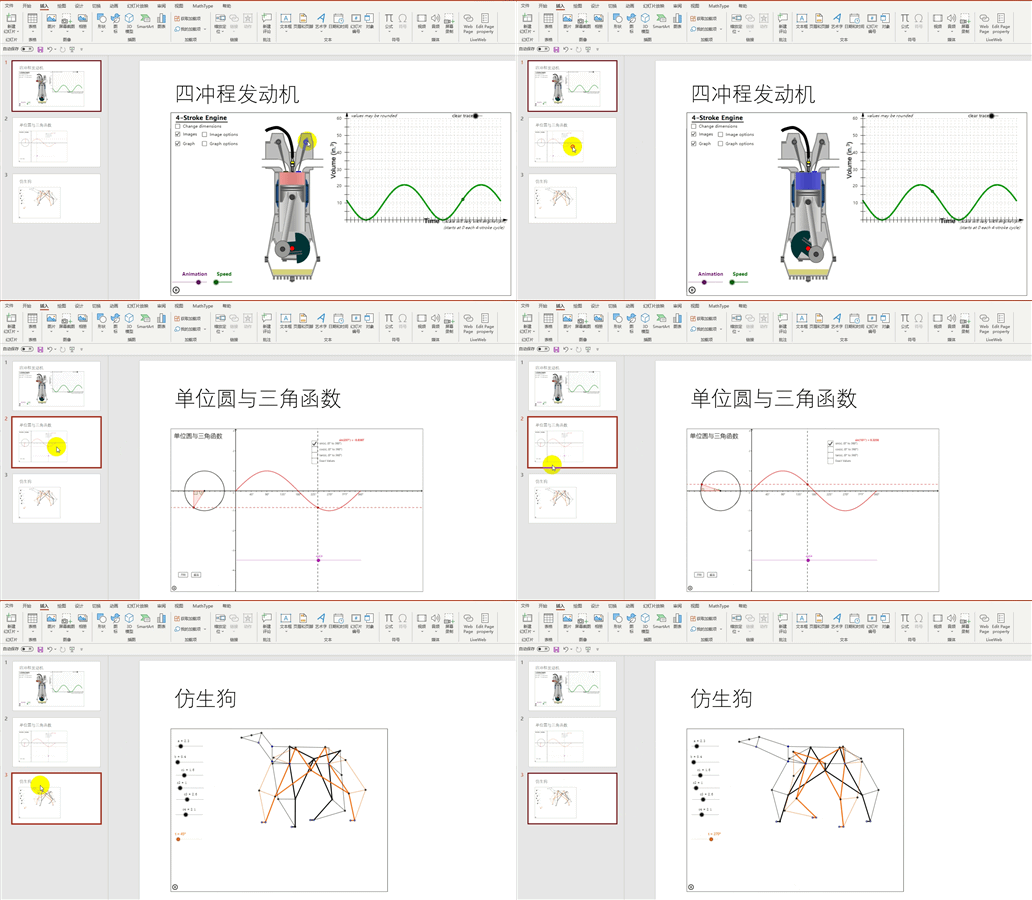
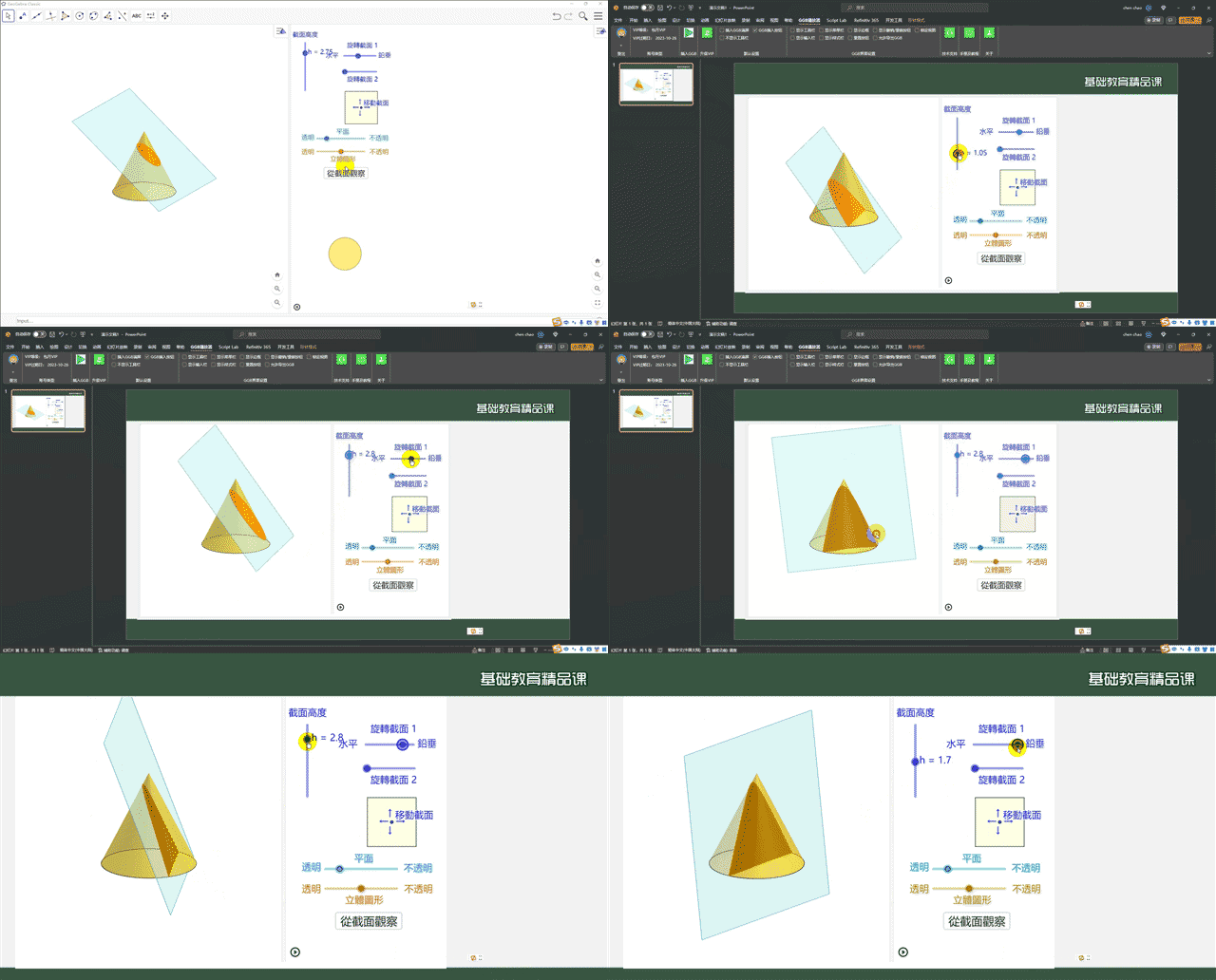
Insert local .ggb files into PowerPoint and manipulate dynamic mathematical objects within your slides.
GEOGEBRA × POWERPOINT
GGB Player 3 brings dynamic GeoGebra activities into your slides.
Present and interact to make abstract mathematics easier to understand.
For Windows · Supports Office / WPS · Works offline

Designed for everyday teaching
Insert local .ggb files into PowerPoint and manipulate dynamic mathematical objects within your slides.
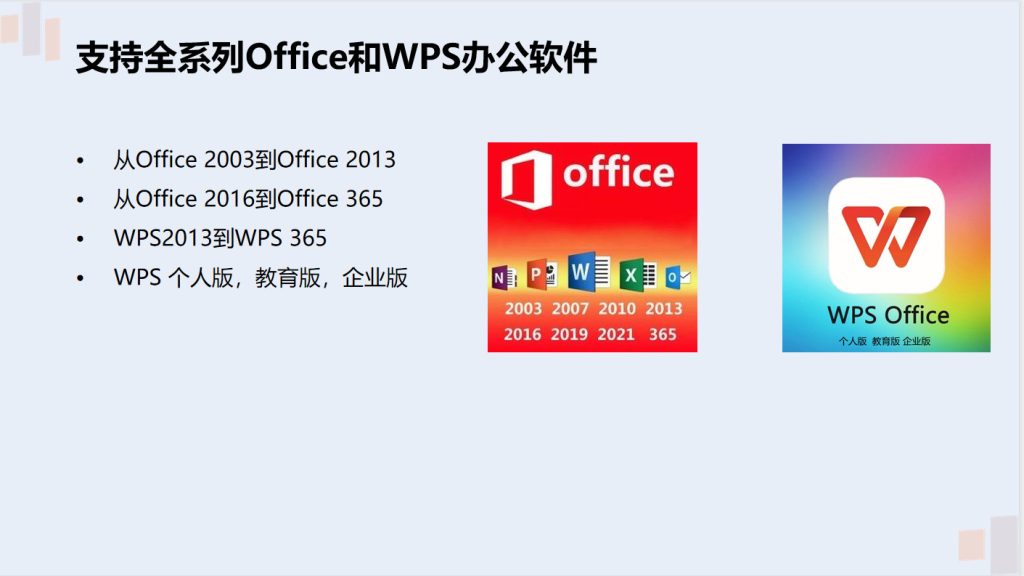
Keep using your familiar lesson tools with support for Microsoft Office and WPS.
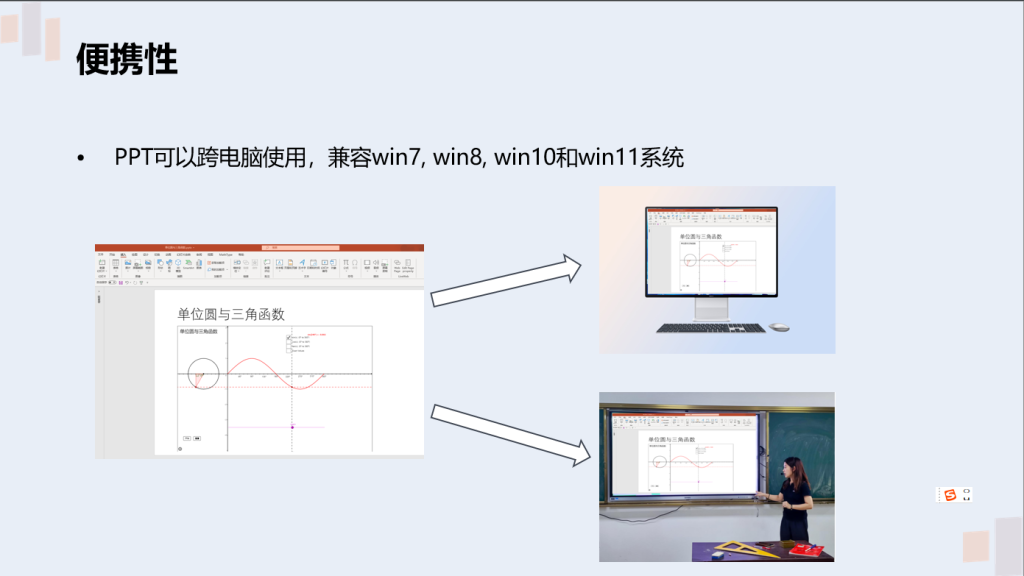
GGB activities embedded in PowerPoint work offline for classroom presentations.
Install the player on your Windows desktop, laptop or interactive whiteboard.
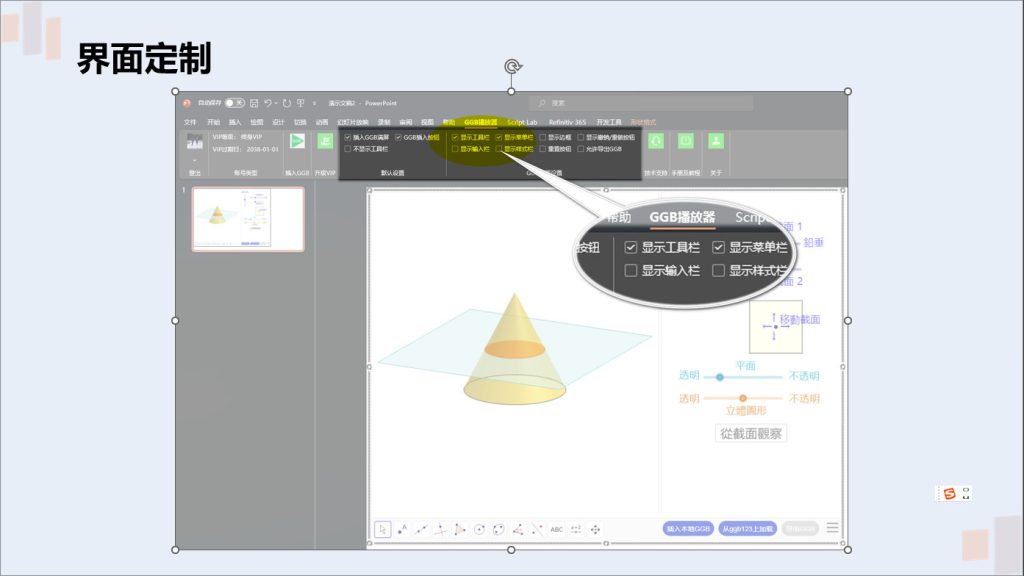
Configure the menu, toolbar, status bar and input bar to focus on your lesson.
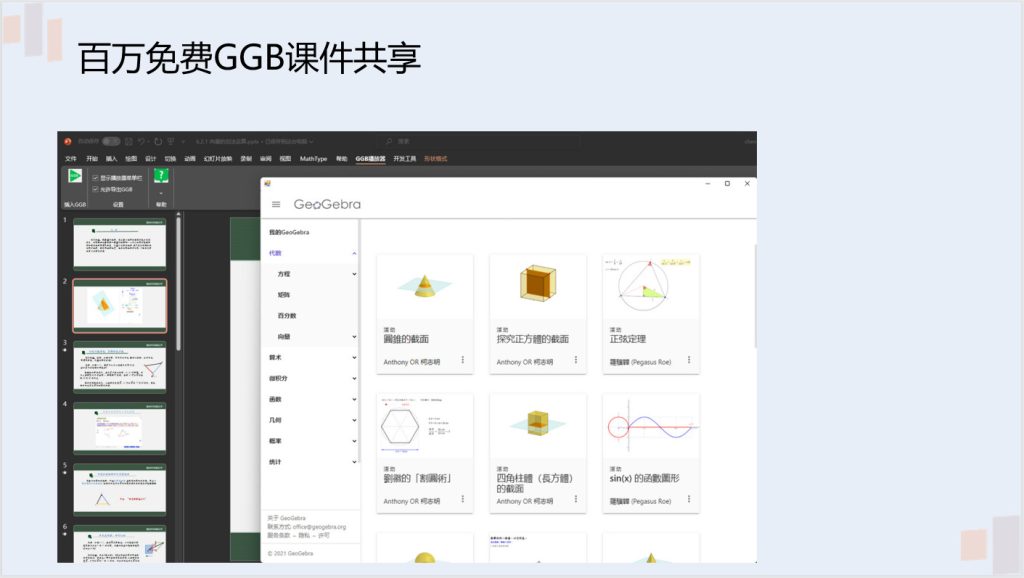
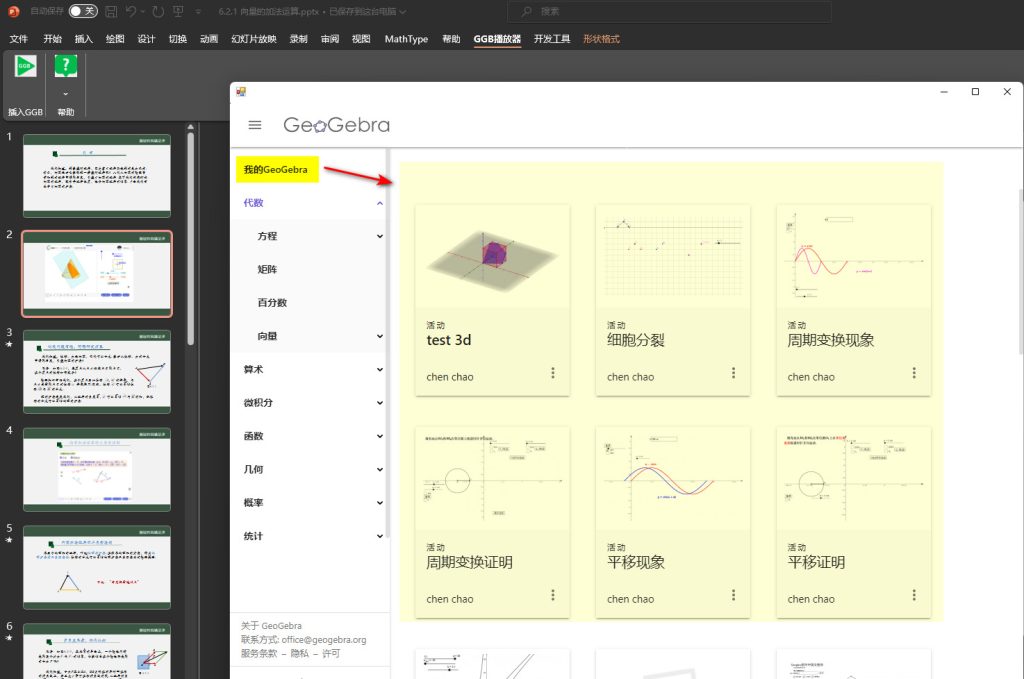
Access millions of free GeoGebra activities and connect with the official platform.
Start here
Install GGB Player 3 on each Windows computer used to edit or present activities.
Available version: 3.0.8.74
Follow the feature overview and tutorial to insert your first activity.
New users get one month of free VIP access after registration and email verification. No credit card required. Your free trial does not renew automatically.
US$15 / month
Taxes included
Automatically renews every month after you subscribe, until cancelled.
Cancel automatic renewal before your next billing date. Access continues until the end of the paid period.
US$100 / year
Taxes included
Automatically renews every year after you subscribe, until cancelled.
Cancel automatic renewal before your next billing date. Access continues until the end of the paid period.
Sign in with your GGB account before subscribing. Secure payment is handled by Dodo Payments. Your membership is activated after payment confirmation. Cancelling renewal preserves access through your paid period.
“We used your add-in this term, and the students responded very positively.”
Teacher Huang, Changsha
“They were amazed that PowerPoint could show animations and support interaction.”
Teacher Li, Jiangsu
“After using this add-in, I think GGB could become a mainstay of mathematics lessons.”
Teacher Chen, Hunan
Help
Install GGB Player 3 on that computer first, then open the presentation to play GGB activities.
Adjust your WPS settings as shown below, then restart WPS.
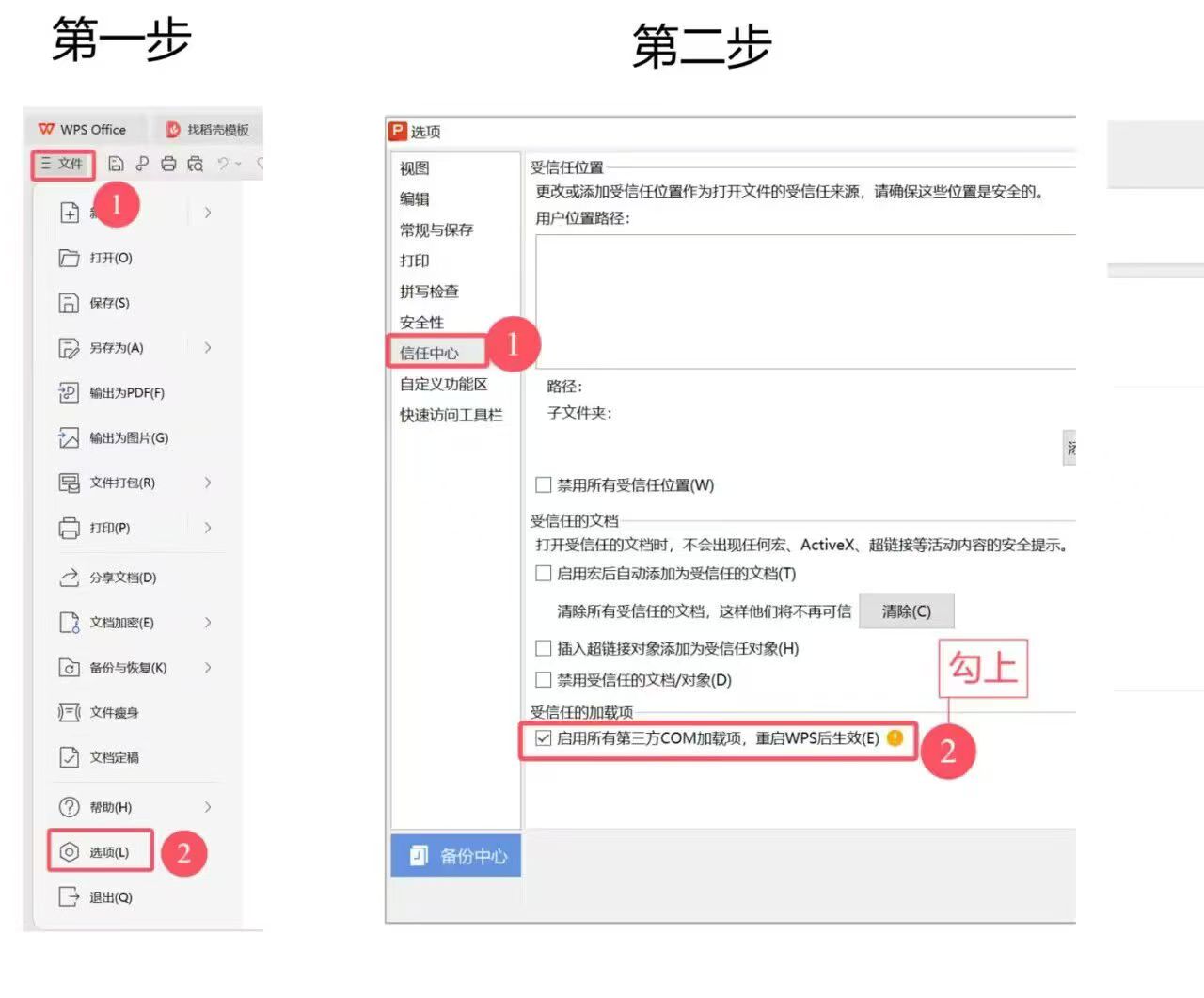
Check for “GGB Player” in the PowerPoint or WPS menu. If you installed it on a USB drive or a non-system drive, uninstall it and reinstall it on the system drive.
Resize the GGB window to fit within the slide window. Try enabling hardware-accelerated rendering. Close unused programs to free CPU and memory for the activity.
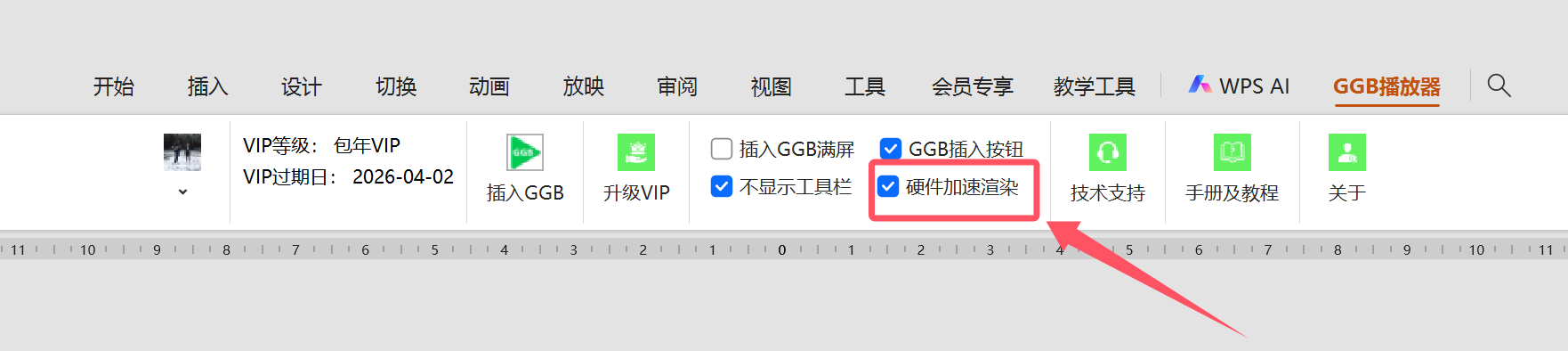
Resizing after insertion may blur the display or shrink the text. See the adjustment tutorials below.
Yes. Presentations created during your VIP term remain usable permanently. Creating new presentations or inserting new GGB content requires an active VIP membership.
Yes. You can use different devices, but only one device can be signed in at a time.
No sign-in or VIP purchase is required. They only need to install GGB Player 3.
GGB Player 3 does not currently support these devices. Office on Mac and iPad can use GGB Player 2.